⌚ Estimated Read Time: 15–18 minutes
Summary
Looking to buy a server for your small business but overwhelmed by the options?
This guide walks you through everything you need to know — from understanding tower vs. rack servers, choosing the right specs (CPU, RAM, storage), and comparing Windows vs. Linux, to picking between new and refurbished options. It also highlights top server models from Dell and HP tailored to small office needs. Whether you're scaling up or just getting started, this guide helps you make a smart, future-proof investment.
In today’s digital era, the foundation of every successful small business relies heavily on the efficient management of its IT infrastructure. A key component of this infrastructure is the server – a critical asset that supports everything from data storage and file sharing to managing business applications and client communications. But purchasing a server for your small business can be a daunting task. With various options available in the market, how do you find the best server for a small business?
This guide provides an in-depth look at what to consider when purchasing a server, ensuring that your small business runs smoothly and efficiently.
Why Your Small Business Needs a Server
Small businesses often face challenges related to data storage, security, and connectivity. A dedicated server offers a central hub where files, emails, and software applications can be stored securely and accessed easily. By hosting your own server, you can:
- Enhance data security: With your own server, you have control over who accesses sensitive information.
- Improve collaboration: A local server makes it easier for employees to access shared files and collaborate in real-time.
- Increase performance: Dedicated resources and faster data transfer speeds provide better performance than relying on cloud services alone.
- Scalability: As your business grows, a server allows for easier upgrades and integration of additional resources.
Factors to Consider When Purchasing a Server for Small Business
When purchasing a server for a small business, there are several key factors to keep in mind to ensure that you choose the right one. Let’s explore some of these critical factors:
Server Type: Tower vs. Rack Servers
The type of server you choose will significantly impact the setup and scalability of your small business network. There are two main types of servers you should consider:
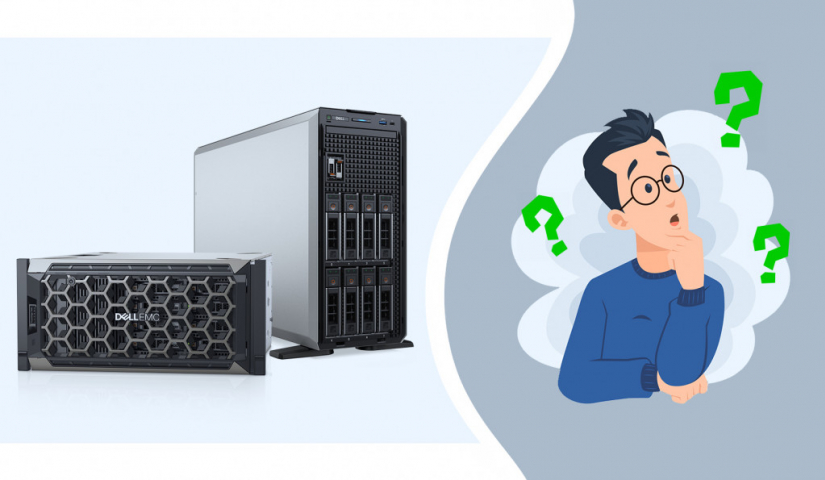
Tower Servers for Small Business
Tower servers are standalone units designed to sit upright on the floor or desk, making them ideal for small office environments. They are easy to set up and are often quieter than rack servers, which is an essential consideration for smaller spaces. A good server for small business might include options like the best tower server for small business, which offers a balance of performance, price, and ease of installation.
Rack Servers for Small Business
Rack servers are designed to be mounted in a server rack, which makes them an excellent choice for small businesses that anticipate significant growth. If you plan on scaling your business and need to consolidate multiple servers, a best rack server for small business would be the ideal choice. Rack servers are generally more efficient for larger operations but require additional infrastructure (like a rack) and are often more difficult to set up.
Performance and Specifications
A server’s specifications, such as CPU, RAM, and storage, determine its overall performance. When purchasing a small office server setup, you’ll want to ensure that the server has enough resources to meet the demands of your business. Here’s what to keep in mind:
- CPU: Choose a processor that can handle the volume of work your business requires. A server with a multi-core processor is often a good choice.
- RAM: The more RAM your server has, the more data it can process simultaneously, leading to better performance. A server with at least 16GB of RAM is generally recommended for most small businesses.
- Storage: Consider your storage needs. An enterprise-class hard drive with a capacity of 1TB or more should suffice for most small businesses, but if your business deals with large amounts of data, opt for SSD drives for faster data access and reliability.
Operating System: Windows Server or Linux?
Choosing the right operating system for your server is essential. Small businesses often gravitate toward Windows for its ease of use and integration with Microsoft products.
Best Windows Server for Small Business
Microsoft’s Windows Server is one of the most popular choices due to its familiar interface and strong support for enterprise applications. The best Windows server for small business will offer excellent compatibility with other software, strong security features, and a robust management platform for managing users and files.
Linux Servers
While Windows is popular, Linux-based servers are gaining traction due to their lower cost and higher security features. However, Linux servers require more technical expertise to set up and manage, so they may be better suited for businesses with in-house IT support.
Warranty and Support: A Crucial Factor
When purchasing a small business server, one of the most important considerations is the warranty. Servers are long-term investments that need to be reliable, and having several years of on-site warranty can save your business from unexpected downtime and costly repairs. A good warranty should cover parts, labor, and on-site service to ensure that any potential issues with your small office server are dealt with swiftly. Opting for a server with an extended warranty means you can rest easy knowing that your system is protected and supported for years to come.
Have you considered refurbished? You should!
Refurbished servers can be an excellent choice for small businesses looking to save costs without sacrificing performance or reliability. These servers are typically high-quality units that have been professionally restored to factory standards, often by the manufacturer or certified third-party providers. Purchasing a refurbished server with a minimum of 3 years warranty offers several advantages for small businesses.
Firstly, you get access to enterprise-grade hardware at a fraction of the cost of buying new, enabling your business to invest in a more powerful and scalable solution without breaking the bank. The 3-year warranty provides peace of mind, ensuring that any issues with the server are covered, minimizing downtime and repair costs. With a solid warranty, you also gain extended support from the manufacturer or vendor, which can be a crucial resource for troubleshooting and maintenance. For small businesses that need reliability but are working within a limited budget, a refurbished server with a robust warranty is a smart and cost-effective way to ensure that your IT infrastructure is both reliable and protected for years to come.
Dell PowerEdge and HP (Hewlett Packard) servers are two of the most popular choices for small businesses due to their reliability, scalability, and overall performance. Both companies offer a variety of models suitable for small office environments, depending on your needs, space, and budget. Let’s dive into some of the best models for small businesses from both Dell and HP.
Dell PowerEdge Servers for Small Business
1. Dell PowerEdge T140
Type: Tower Server
Best For: Small businesses with limited space and budgets.
Key Features:
- Single-socket tower server.
- Intel Xeon E-2224 processor with up to 64GB of RAM.
- Multiple storage options with support for up to four 3.5-inch hard drives.
- Easy to upgrade and expand as your business grows.
Why It’s Great for Small Businesses: The T140 is an entry-level server with an affordable price point. It's a good server for small business that needs an entry server to manage file storage, basic applications, or file sharing. Its tower design makes it perfect for small office setups without requiring a lot of rack space.
2. Dell PowerEdge T340
Type: Tower Server
Best For: Small to medium-sized businesses needing additional performance and scalability.
Key Features:
- Single-socket tower server with Intel Xeon E-2200 processors.
- Can handle up to 64GB of RAM.
- Multiple storage configurations, with options for SSD or HDD for faster data access.
- Comes with integrated management features for easy IT operations.
Why It’s Great for Small Businesses: The T340 offers greater processing power and expandability compared to the T140, which makes it suitable for growing small businesses or businesses that need a more robust system for managing customer data or business applications.
3. Dell PowerEdge R240
Type: Rack Server
Best For: Small businesses that need a space-efficient, scalable solution.
Key Features:
- Single-socket, 1U rack server.
- Intel Xeon E-2100 processors with support for up to 64GB of RAM.
- Storage configurations that support up to four 3.5-inch drives or eight 2.5-inch drives.
- Remote management capabilities for improved IT monitoring and maintenance.
Why It’s Great for Small Businesses: The R240 is an ideal small office server that offers a compact rack-mountable design while maintaining solid performance. It’s perfect for small businesses that need a small business server solution with limited space but still require the power of a rack server.
4. Dell PowerEdge R350
Type: Rack Server
Best For: Small businesses that are looking to scale operations.
Key Features:
- Supports Intel Xeon E-2300 processors with up to 64GB of RAM.
- Up to 8TB storage capacity with multiple HDD/SSD options.
- Dual hot-plug power supplies for redundancy.
- Advanced systems management tools for IT efficiency.
Why It’s Great for Small Businesses: The R350 is an entry-level rack server that offers better performance and redundancy than the R240. It’s ideal for small businesses anticipating moderate growth but still looking for a cost-effective and space-efficient solution.
HP (Hewlett Packard) Servers for Small Business
1. HP ProLiant MicroServer Gen10
Type: Compact Tower Server
Best For: Small businesses that need an affordable, space-saving server solution.
Key Features:
- AMD Opteron or Intel Pentium processors.
- Up to 32GB of RAM.
- Multiple storage configurations with support for up to four 3.5-inch drives.
- Compact and easy to set up for small offices.
Why It’s Great for Small Businesses: The ProLiant MicroServer Gen10 is ideal for businesses looking for a small office server setup that offers good performance for its size and price. It’s perfect for small businesses with limited space but who still need file storage, data backup, and basic application management.
2. HP ProLiant DL20 Gen10
Type: Rack Server
Best For: Small businesses that want a compact and cost-effective rack server solution.
Key Features:
- Intel Xeon E-2200 processors with up to 64GB of RAM.
- Up to 16TB storage with multiple SSD/HDD options.
- 1U rack design for space efficiency.
- Built-in security features for data protection.
Why It’s Great for Small Businesses: The DL20 Gen10 is a versatile small business server solution offering excellent performance in a compact rackmount form factor. It’s suitable for small businesses needing efficient space management without compromising on performance and reliability.
3. HP ProLiant DL380 Gen10
Type: Rack Server
Best For: Growing businesses requiring a scalable and powerful server.
Key Features:
- Dual Intel Xeon Scalable processors, supporting up to 3TB of RAM.
- Extensive storage options, with up to 30TB available using the latest SSDs.
- Advanced management tools for system health monitoring and IT administration.
- Hot-plug drives and redundant power supplies for high availability.
Why It’s Great for Small Businesses: The DL380 Gen10 is a more powerful option compared to the other servers on this list, making it an ideal choice for businesses that need higher processing power, more storage, and greater expandability. If your small business is scaling up and you need an enterprise-level solution, this model provides great flexibility and reliability.
4. HP ProLiant ML110 Gen10
Type: Tower Server
Best For: Small businesses needing flexibility, performance, and upgrade options in a tower form.
Key Features:
- Intel Xeon E-2100 processors with up to 64GB of RAM.
- Flexible storage options for up to 10TB.
- Tool-less setup for easy installation and upgrades.
- Built-in security and management tools to simplify IT operations.
Why It’s Great for Small Businesses: The ML110 Gen10 is a good server for small business that requires a tower server with the option for future expansion. With its scalable performance, it is ideal for growing small businesses that need more computing power without investing in a full rack server.
Summary
Both Dell PowerEdge and HP ProLiant servers offer excellent choices for small businesses, each with its own set of features tailored for different needs. Here’s a quick breakdown of the options:
Best Tower Servers for Small Business:
Dell PowerEdge T140, Dell PowerEdge T340, HP ProLiant MicroServer Gen10, and HP ProLiant ML110 Gen10 are all ideal for small offices with space constraints.
Best Rack Servers for Small Business:
Dell PowerEdge R240, Dell PowerEdge R350, HP ProLiant DL20 Gen10, and HP ProLiant DL380 Gen10 are great choices for businesses that require efficient use of space with room for future expansion.
When choosing a server, consider your business’s current size, future growth, and specific needs (e.g., storage capacity, processing power, and scalability). A tower server for small business offers simplicity and affordability, while a rack server for small business provides more space-efficient and scalable solutions for growing operations.
Budget and Cost Considerations
While it’s tempting to go for the cheapest option, a computer server for small business is a critical part of your infrastructure. Investing in a good server for small business will ensure you don’t face issues like sluggish performance or security risks in the future. Be prepared to invest in quality hardware and consider the long-term savings that come from choosing a reliable system with a good warranty.
However, budget constraints can sometimes make it difficult for small businesses to afford top-tier servers. Look for small business server solutions that offer a balance of cost and performance. Many vendors provide affordable servers designed for small businesses, such as tower servers for small business, that deliver great value while meeting your needs.
Scalability
As your business grows, your IT infrastructure should be able to scale accordingly. Look for a small office server setup that can be easily upgraded with additional components like memory or storage. Best server for small business solutions should allow for easy expansion as your business grows in size and complexity.
Energy Efficiency
Efficiency is key when it comes to server operation. A server that consumes a lot of power will not only increase your electricity costs but could also contribute to more significant environmental impacts. Opting for an energy-efficient server can reduce costs and improve the overall sustainability of your business.
Conclusion
When it comes to selecting a server for small business, the most important factors include performance, reliability, scalability, and support. Whether you need a tower server for small business or the best rack server for small business, it’s essential to choose the right one based on your unique needs. Make sure to prioritize on-site warranty options to guarantee that your investment is protected in the long run.
By carefully considering your options and purchasing a server that meets your current and future needs, you’ll be setting your small business up for success in the digital world.